AI INVOICE GENERATOR · ANDROID
AI invoice drafts.
Your final say.
You know the work. We help turn it into the paperwork. Quotavani takes your typed job details and prepares an editable invoice draft, ready for you to check and share. It gives trades and small businesses a practical way to start an invoice while the job is still fresh.
Free to join · No payment or Google account needed to subscribe.
Android availability updates; no public app download is offered here yet.
Your job details, ready to review
A CLEAR NEXT STEP
Let AI prepare the draft. Keep approval in your hands.
- 01
Give the job details.
Type who the invoice is for, what you supplied and the quantities. Include the agreed rates so the draft starts with the right prices.
- 02
Review what AI understood.
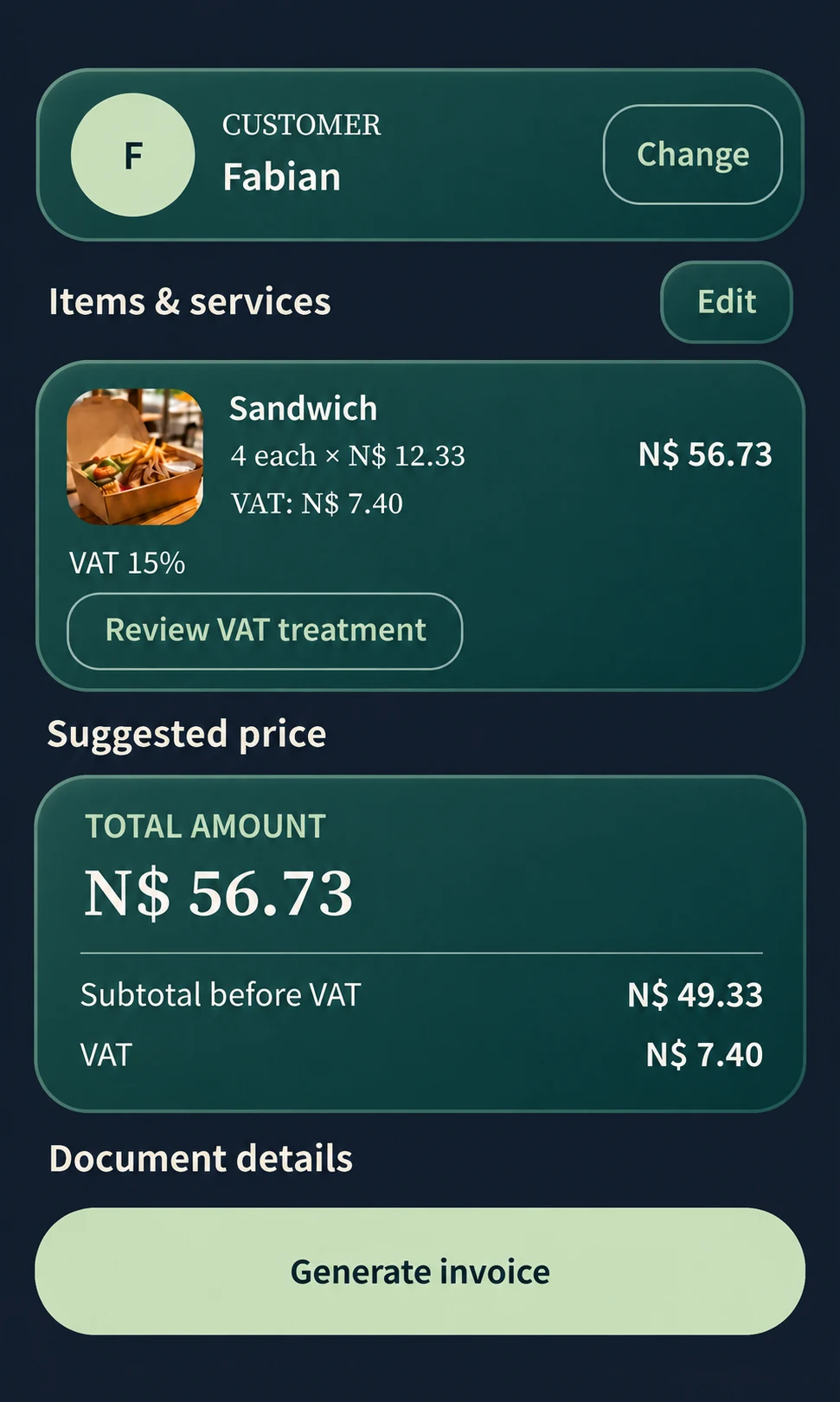
Confirm the customer and line items. Check quantities, rates, currency and any VAT against your agreement. Edit the draft before it becomes a document.
- 03
Generate and preview.
Create the invoice PDF after your review. Open the finished document and choose a compatible messaging or email app for PDF sharing.
An AI assistant and a pricing calculator do different jobs.
AI turns your transaction description into a draft, while our document engine handles the calculations. Review the quantity, price and tax treatment against the job you agreed. You can edit each detail before generating the invoice, keeping the description and the amount in step with the work.
Useful when the work is easier to describe than format.
An electrician might describe an installation, materials and labour. A cleaner might describe a visit and extra rooms. A small retailer might enter a customer, product and quantity. These examples show how the same invoice workflow fits different jobs. Enter your own service details and review the draft; you do not need a preconfigured trade template to get started.
See the document your customer will receive.
Open the sample invoice below to see a real PDF generated by Quotavani. The tailoring document shows the finished layout; the sandwich preview above walks through a different sample transaction. For proposed work and prices, use our quotation workflow. Contact our team to check AI quotation availability for your release.
LOOK BEFORE YOU JOIN
See the output.
Check the fit.
Open a PDF made in Quotavani or try the free calculator. No signup needed.
Does AI send an invoice for me?
No. AI prepares an editable draft. You review the details, generate the PDF and choose when and where to share it.
Is this an offline AI invoice generator?
On-device calculations and PDF generation support offline document work. AI draft generation depends on your version; our team can confirm its connection requirements. Google sign-in, purchases and sending through other apps can also require connectivity.
Can I generate an invoice on this website?
The AI invoice workflow is in the Android mobile application. This page explains the product; the free website calculator checks line-item amounts without generating an invoice.
Can I install Quotavani now?
Join our launch list for Android availability updates. We will link the public Google Play listing here when it is ready. If you already have a version installed, our team can help with release-specific questions.
WHEN IT FITS YOUR WORK
Keep the next step simple.
Leave your email for Android launch updates. Choose to hear from us, and unsubscribe any time through your private link.
Get launch updatesThis list is for updates. App access and paid subscriptions are separate.